
Acrylian,
with the new build and code added to themeoptions.php, cachemanager does not generate ANY thumbnails for zpArdoise when using gallerific option. I think Vincent needs to take a look at this but he does not appear to be around.
No code I have tried on themeoptions ever shows an 85 x 85px thumbnail in the cachmanager plugin settings, as it does with other themes.
BTW - What process triggers the registration of the theme with the cachemaneger?

The theme might need some changes as well as I mentioned above.
If you define new cacheManager settings you might need to disable and re-enable the theme as those are registered and may not be recognized initially.
BTW - What process triggers the registration of the theme with the cachemaneger?
You can directly see that in the themeoptions.php file of the theme.
Hi
I just discover this thread.
maybe something goes wrong with my theme (not have a look on zpArdoise yet), but in fact, before that, I think something goes wrong between cacheManager/cacheImages functions and template functions.
I tried basic and zenpage themes and the results are the same:
I have 2 cache names and sizes, for custom thumbnail cropping:
*zenpage thumbs:
-with cacheManager:
img_8965_95_w95_h95_cw734_ch734_cx305_cy0_thumb.jpg (~138ko)
-with theme (auto discover from front-end):
img_8965_w95_h95_cw734_ch734_cx305_cy0_thumb.jpg (~4ko)
*basic thumbs:
-with cacheManager:
mg_8965_100_w100_h100_cw734_ch734_cx305_cy0_thumb.jpg (~138ko)
-with theme:
img_8965_w100_h100_cw734_ch734_cx305_cy0_thumb.jpg (~4ko)
for "standard" thumbnail cropping, the name is the same but sizes are quitte different:
-with cacheManager (for basic thumbs):
img_8991_100_w100_h100_thumb.jpg (~5.5ko)
-with theme basic (for basic thumbs):
img_8991_100_w100_h100_thumb.jpg (~3.7ko)
I found an issue: for "standard" thumbnail cropping, cacheManager generates uncropped thumbs rather cropped ones.
me too, of course
After 1.5.1 upgrade I am still having exact same problems. Cache Manager does not generate correctly named thumbnails, for albums or gallery. I have documented this meticulously, but this archaic forum does not allow any intuitive way to post images.
Very frustrated with the Cache Manager.
Please post procedure to post screen captures in a post.
Thank you.
Also, on my local server using Xampp, the Cache Manager hangs after working on 65-90 images, and does not process any images after that point. Documented this behavior about 8 times.
As I reported 5 months ago, I have to regenerate all thumbnails for a gallery with 14,000 images due to a naming convention change introduced, in 1.5. I have to do this locally and upload to my cache on my Godaddy server.
I used to be able to at least run the Cache Manager on 1000's of images, now it hangs after 100.
hi tplowe56,
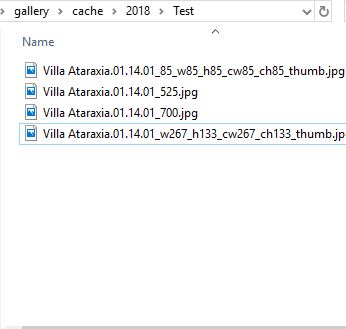
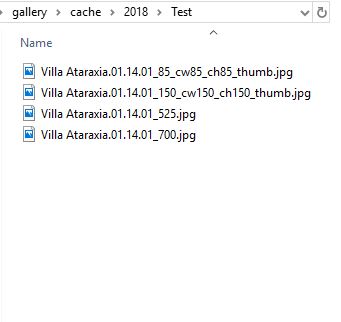
I think it is an issue from my theme zpArdoise as there are two sizes for the thumbnails and the pictures (85 or 150, 555 or 700, if you use galleriffic or not).
I am working on it, but for now, I am unable to solve the cache thumb size wih galleriffic (85 pixels thumb size).
a workaround is to not use cache manager for 85px thumb size, and let create the cache image by users, you or real visitors (it takes time only the first visit).
stay tuned...
@tplowe56 We have reverted an unnecessary change regarding cache file naming we more or less accidentally introduce in 1.5. I think even we may have had a lengthly discussion about that specific issue. So this may be involved additionally to the zpArdoise theme specifics I am not familiar with.
@tplowe56,
another workaround that works only if you use standard thumbnails (without Custom thumbnail cropping)
in Admin>Options>Plugin>cacheManager, define a specific cache size as following:
Size: 85 Width: 85 Height:85 Crop width:85 Crop height:85
and Thumbnail checked
live other fields empty.
as far I can test, it works fine and the cached thumb images by plugin are the same as those generated by visitors.
Hi,
@tplowe56, please try the support build of zpArdoise:
https://github.com/vincent3569/zpArdoise/archive/master.zip
a good idea before doing anything:
in Admin>Options>Plugin>cacheManager, remove all values for "Image caching sizes".
then goes to Admin>Options>Theme>zpArdoise and valid your options.
after that, in Admin>Overview>cache Manager you should have at least these values:
- Apply Default thumb size (or manual crop): gives thumb cache images with 150px (and you may have Custom thumbnail cropping)
- Apply Default sized image size: gives cache images with 700px, for images.php
- all sizes for zpArdoise
- Apply 85_w85_h85_cw85_ch85_thumb: gives thumb cache images with 85px for galleriffic (and you can't have Custom thumbnail cropping)
- Apply 555: gives cache images with 555px for galleriffic, for album.php